Live in production · B2B SaaS · Travel Agents
AIR iQ
Simplifying Complex Booking Systems
30–40%
Faster booking completion
2×
Clearer data on flight cards
80+
Components built from zero
20+
Screens — desktop & mobile
scroll
01 — The work, first
The hardest screen.
Where agents spend 80% of their session — 15+ filters, 20+ data points per card, 4 trip-type variants.
airiq.app/search
search-results.png
274px persistent sidebar — not modal
Dark navy header — tool zone vs content zone
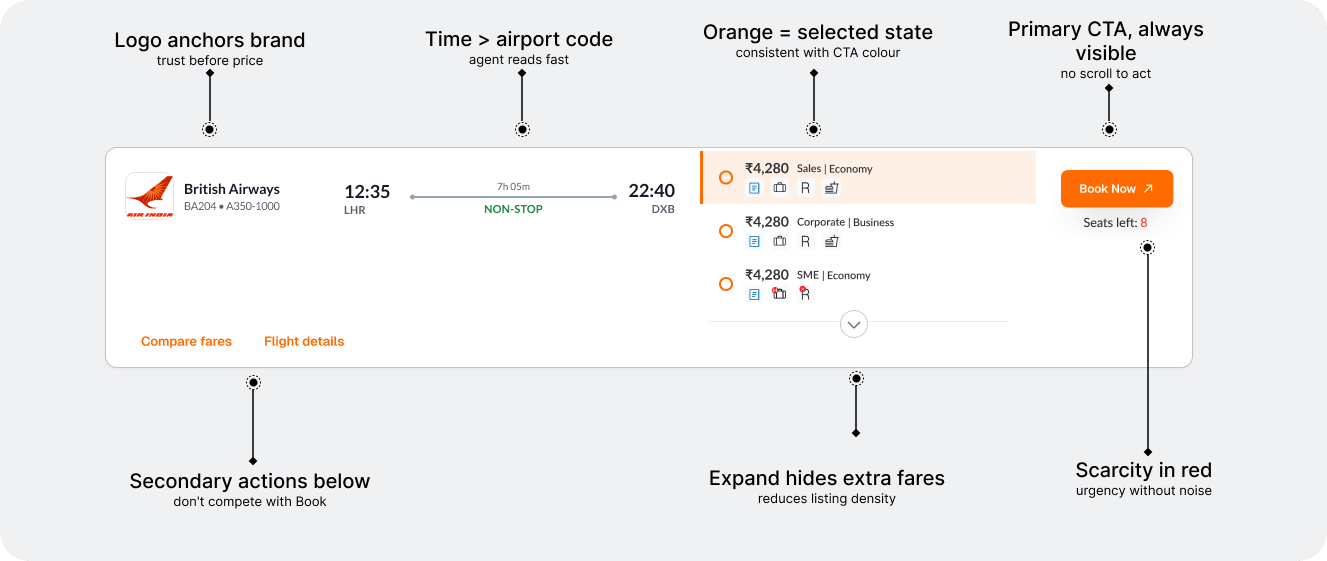
1130px card — full fare data without expanding
+1 day tooltip — custom icon, hover triggered
Price primary — agents decide on cost first
Filter panel
Persistent, not modal. Agents compare results while filtering. Modal breaks that loop completely.
Card width
1130px fixed. Every fare data point visible without click. No information is hidden.
Header colour
#183057 dark navy. Signals professional tool, not consumer app. Built for all-day use.
02 — The problem
Built for the system,
not the human.
Travel agents operate under pressure. Every second counts. The platform made their job harder.
Agents were drowning in complexity —
outdated interfaces, dense data tables,
zero design system, and no mobile support.
outdated interfaces, dense data tables,
zero design system, and no mobile support.
Critical
Legacy System Dependence
Agents trained on command-based interfaces. Modernising meant respecting what they knew — while dramatically reducing cognitive load.
High complexity
Complex Business Rules
Fare rules, GST, RAF levies, dynamic airline charges per segment per passenger — all needed to surface clearly within a single booking flow.
UX gap found
High-Density Data Tables
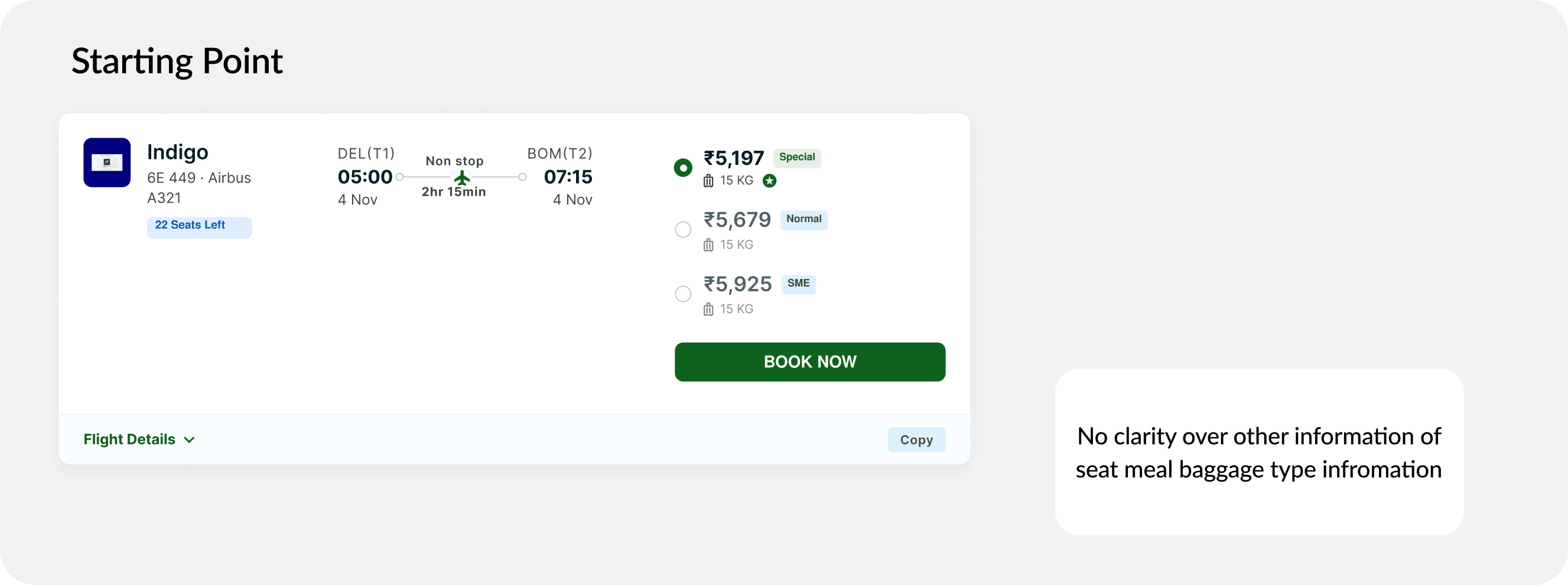
15–20 data points per flight card. Equal visual weight across everything. Agents were missing refundability and seat count — the two things they check first. I caught this. I fixed it.
Alignment
Multi-Stakeholder Complexity
Developers, engineering managers, business owners, and agents — all with different priorities. Design was the bridge between what the business needed and what users could use.
Before
No design system — inconsistent UI everywhere
Fare rules buried in unreadable small text
3–4 steps to share a fare via email
Empty screen on broken searches
No mobile — unusable in the field
→
After
Unified system — 80+ components, one language
Fare breakdown with 4 scannable states
1-click share wizard with to/cc + close guard
3 designed error states for every failure
Full 375px mobile — login to confirmation
03 — Research & competitive study
Studied what the best
get wrong. Then fixed it.
5 platforms before touching Figma. The gap between B2C and B2B GDS was the product opportunity.
Drag to explore all platforms →
MakeMyTrip
B2C · Consumer OTA
What works
✓ Price clarity
✓ Search UX
What's missing
✗ No fare class depth
✗ No GST breakdown
✗ B2C only
"Price hierarchy is strong — but agents need fare class and tax breakdowns. None of it exists here."
Opportunity: Carry price clarity into B2B depth
Skyscanner
B2C · Meta-search
What works
✓ Filter UX
✓ Visual hierarchy
What's missing
✗ Modal filters
✗ No multi-pax
✗ No booking depth
"Persistent filter panel idea came from watching how Skyscanner fails agents — hiding filters breaks comparison flow."
Opportunity: Persistent sidebar, not modal
Amadeus / Sabre
B2B · GDS System
What works
✓ Data complete
✓ Agent-trusted
What's missing
✗ Zero usability
✗ Command-line UI
✗ No visual design
"The data model is right. The presentation is from 1994. This is exactly the gap AIR iQ fills."
Opportunity: GDS data + modern UI thinking
Goibibo for Business
B2B · Corporate Travel
What works
✓ Card design
✓ B2B context
What's missing
✗ Fare breakdown weak
✗ No share flow
"Good B2B card hierarchy reference. But misses the complexity real travel agents deal with daily."
Opportunity: Deeper fare card anatomy
Cleartrip for Work
B2B · SME Travel
What works
✓ Approval flows
✓ Multi-stakeholder
What's missing
✗ Dated visual language
✗ Mobile ignored
"Multi-stakeholder thinking informed the share wizard flow — how agents send fares to clients for approval."
Opportunity: Share wizard UX
The single insight that drove everything
"Speed is survival. A travel agent compares 8 fares in 90 seconds. Every extra click is a lost booking."
This drove every hierarchy decision — why price is largest, why filters are persistent, why the flight card surfaces 6 data points without a click.
04 — Process & AI acceleration
Used AI to move faster
without cutting corners.
v0 and ChatGPT at specific stages to compress the loop — not to replace thinking, but to validate faster.
Drag to explore the process →
-3 days
Step 01
Requirements → User stories
Stakeholder meeting notes fed into ChatGPT to extract structured user stories and edge cases I might miss. What took 2 days of affinity mapping took 20 minutes.
Old: 2-day affinity mapping
ChatGPT · Brief synthesis
-4 days
Step 02
Layout exploration with v0
Used v0 to generate 4 layout directions for the search results page in 30 minutes. Showed stakeholders real-looking options — not grey boxes — and got direction validated before opening Figma.
Old: 3-day lo-fi wireframe round
v0 · Rapid layout prototyping
-2 days
Step 03
Filter logic validation
15 filter types in the panel. Used ChatGPT to map filter priority by agent use frequency — so the panel hierarchy matched how agents actually work, not how we assumed.
Old: User interviews + synthesis
ChatGPT · Filter hierarchy logic
-2 days
Step 04
Edge case discovery
Prompted AI with the full user journey and asked it to attack the design — find every scenario that breaks. Found 12 edge cases in 30 minutes that I then designed for explicitly.
Old: QA or missed entirely
ChatGPT · Stress testing
-1 day
Step 05
Microcopy & error states
B2B copy must be precise and non-alarming. Generated 5 variants per error message, selected and refined the best. Covered all 3 error screens — no results, timeout, sold-out.
Old: UX writer or self-iterate
ChatGPT · Microcopy generation
Step 06
Hi-fi in Figma
With direction validated and edge cases defined, every hour in Figma was intentional. No exploration, only craft — building the design system, tokens, and 80+ components from scratch.
Figma · Full system build
Failed attempt — what I explored and killed
The modal filter — looked clean, broke the flow
First version put all 15 filters in a modal. Built a v0 prototype. One stakeholder walkthrough made it obvious: agents need results and filters visible simultaneously. Killed on day 2. Rebuilt as a persistent 274px sidebar. The prototype caught this before days were spent in Figma — that's the point.
✓ Persistent filter panel — agents never lose context while filtering
05 — Design decisions & iterations
What I tried first.
What I changed.
Filter panel — 3 versions
filter-v1.png
DISCARDED
Modal filter
Broke the compare-filter-compare loop
filter-v2.png
ITERATION
Slide-in panel
Collapsed by default — agents had to open it every session
filter-v3.png
FINAL
274px persistent sidebar
Always visible. Zero context switching for agents.
Flight card — 3 versions
card-v1.png
DISCARDED
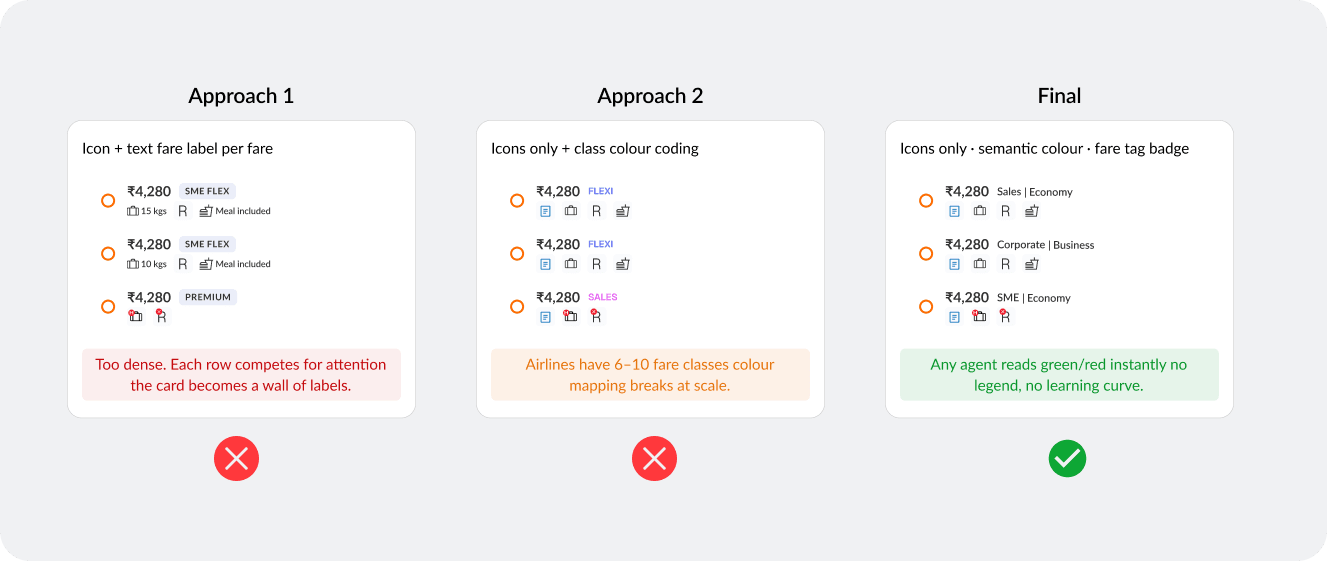
Equal weight layout
Agents missed refundability and seat count every time
card-v2.png
ITERATION
Grouped sections
Better but grouping created extra cognitive load on scan
card-v3.png
FINAL
Hierarchy-first card
Price primary. Status tags scannable in 2 seconds.
01
Filter panel
Persistent, not modal
First instinct: modal — clean, common. Built a v0 prototype in 30 min. One walkthrough made it obvious: agents compare while filtering. Modal kills that. Rebuilt as 274px fixed sidebar.
✓ Zero context switching for agents
filter-v3.png
02
Flight card hierarchy
The gap no one had flagged
Previous card: equal weight on all 15+ data points. Agents were missing refundability and seat count before anything else. Restructured hierarchy — price + airline primary, status tags colour-coded.
✓ Reduced missed information — shipped to production
card-v3.png
03
Header colour
#183057 — not white
Most booking interfaces use white headers. Dark navy creates a strong visual anchor — separates navigation from content. Signals professional tool. Agents use this all day.
✓ Stakeholder: 'feels enterprise-grade immediately'
“Stakeholder: 'feels enterprise-grade immediately'”
04
Mobile adaptation
Sidebar → bottom sheet
On 375px, a persistent sidebar consumes the full viewport. Adapted: sticky filter button → full-screen bottom sheet. Last selection persists when closed. Same mental model, different form.
✓ Consistent behaviour across both platforms
mobile-filter.png
06 — The full booking journey
From search
to confirmation.
8 screens in sequence. Every screen, every decision.
01 / Home
Where every booking begins
Trip-type toggle sets full form state before any input
Swap icon — agents flip routes constantly
airiq.app/
home.png
02 / Search results
The core agent workspace
Sort by price — default, agents optimise cost first
Fare breakdown inline — no modal, no context loss
airiq.app/search
results-oneway.png
03 / Round-trip
Two journeys. One decision.
Side-by-side date columns — outbound left, return right
4 variants: one-way/round-trip × domestic/international
airiq.app/search?mode=rt
results-roundtrip.png
04 / Itinerary
Fare rules. Baggage. All of it.
Fare rule breakdown — 4 component states
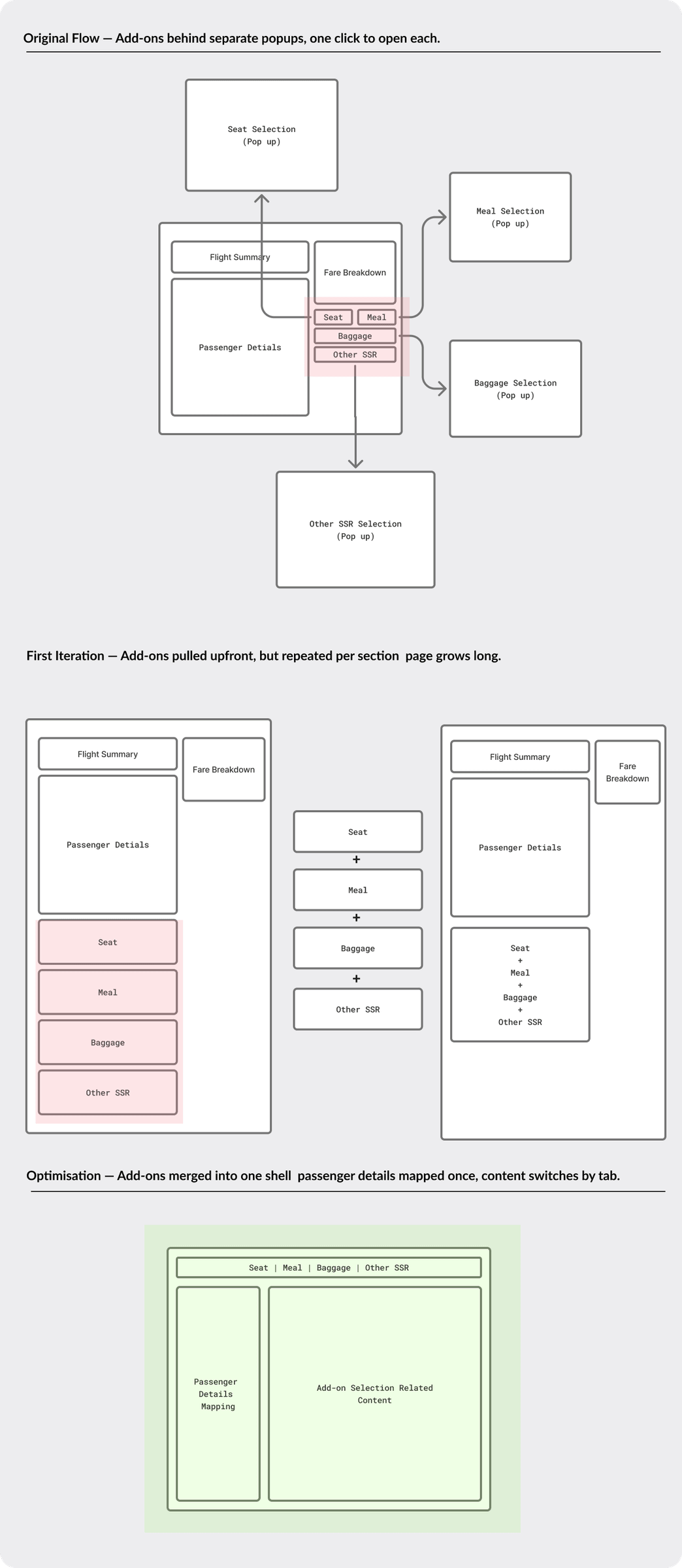
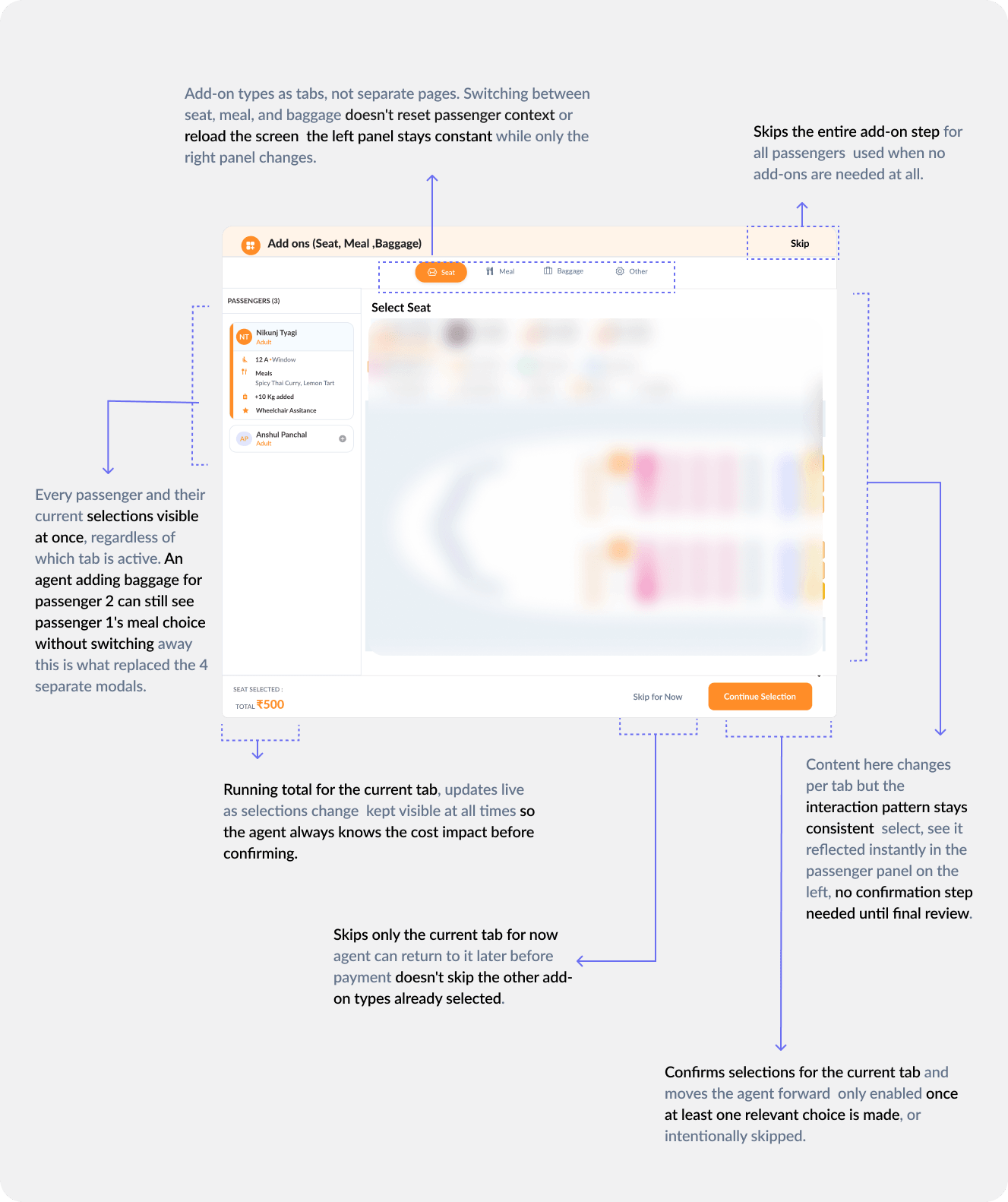
Meal selection separate from passenger form — reduces length
airiq.app/itinerary
itinerary.png
05 / Passenger details
Multi-pax. Full validation.
Inline validation on blur — not on submit
Infant + adult association — conditional UI only when needed
airiq.app/passengers
passenger.png
06 / Review & confirm
5 booking states. All designed.
Full GST breakdown before CTA — agents need total before committing
5 states: confirmed / pending / on hold / released / failed
airiq.app/review
review.png
07 / Share flow
Send a fare in one flow.
Close guard — prevents losing unsent share mid-session
To + CC fields — agents copy multiple contacts at once
airiq.app/share
share.png
08 / Responsive
Same screen. Two platforms.
Desktop: 274px sidebar persistent
Mobile: bottom sheet — identical mental model, adapted form
airiq.app/search
results-oneway.png
07 — Design system
Built from zero.
Designed to scale.
No existing library. Every token, component, and icon built ground-up.
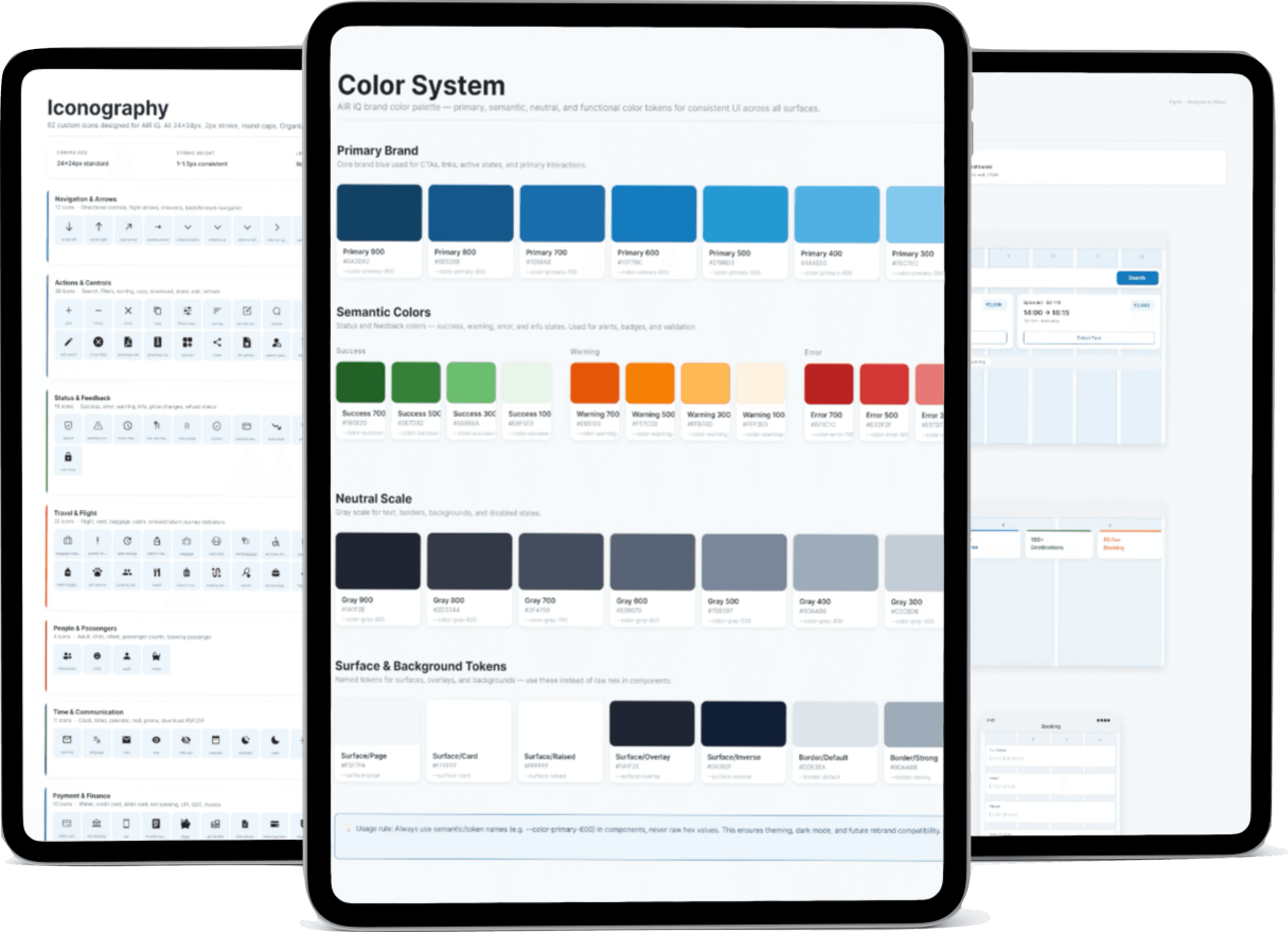
Color system
Semantic tokens, not raw hex
Every color has a purpose — named and documented.
Navy
Dark Blue
Tech Blue
Blue Mid
Blue Light
Background
BG-2
Border
Body
Placeholder
Success
Error
Typography system
Lato — one family, full scale
Chosen for legibility under data density.
H1 Black
H2 Bold
Label Bold
Body Regular
Caption Light
Spacing & grid
4pt base grid — nothing placed arbitrarily
All spacing is a multiple of 4: 4, 8, 12, 16, 24, 32, 40, 48.
4
4px
8
8px
12
12px
16
16px
24
24px
32
32px
40
40px
48
48px
Border radius tokens
radius-sm · 4px
radius-md · 8px
radius-lg · 12px
radius-pill
Components
Reusable. Consistent. Token-driven.
Change a token — the entire system updates.
Itinerary card
4 variants
Price listing
3 variants
Dropdowns
5 states
Text fields
6 states
Error states
3 types
Buttons
5 variants
Checkboxes
4 states
Fare breakdown
4 states
Tooltips
6 variants
Icon system
Custom icons — drawn from scratch. Zero libraries.
Every icon drawn in Figma. Three sizes for every use case.
24px — primary UI
🧳
ℹ
✈
🔄
📍
📋
16px — labels & inline
🧳
ℹ
✈
🔄
📍
📋
12px — dense data tables
🧳
ℹ
✈
🔄
📍
📋
80+
Components built
0
External icon libraries
3
Icon size scales
4pt
Base grid
08 — Edge cases
What most designers
don't design.
Happy path is table stakes. These are the cases that break in production.
Drag to explore →
∅
No results
Helpful empty state with suggestions — not a blank screen
Edge case◷
API timeout
GDS APIs are slow. Agents need feedback during load — not a broken UI
Edge case✕
Sold-out flight
Seats disappear between search and booking. Disabled state + guidance
Critical path+1
+1 day arrival
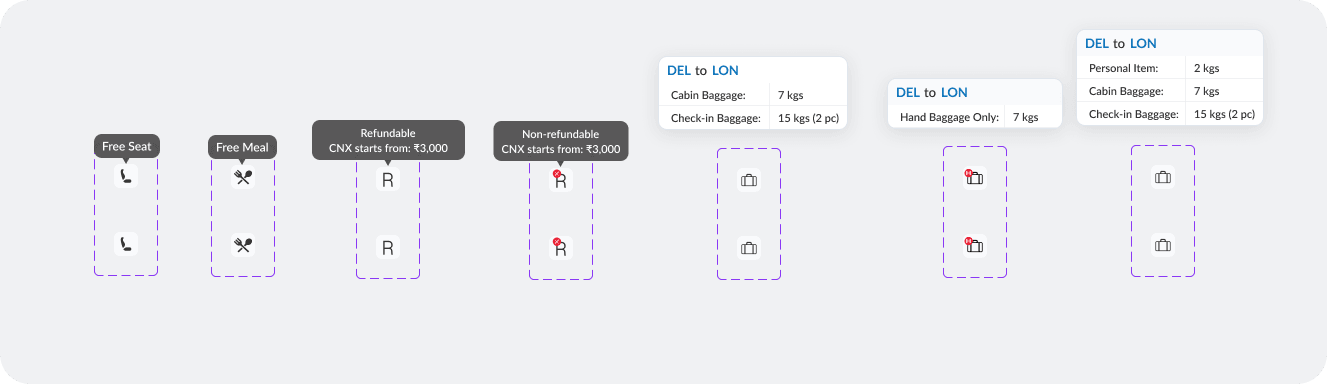
Custom icon + hover tooltip. Agents book wrong itineraries without this
My initiative⊕
Nearby airport
Airport code, name, distance. Not in brief — proposed and adopted
My initiative◎
Infant + adult
Conditional UI for infant-adult seat association — complex multi-pax case
Edge case⚠
Share — incomplete
Must select fare before sharing. Close guard prevents accidental dismissal
Edge case◆
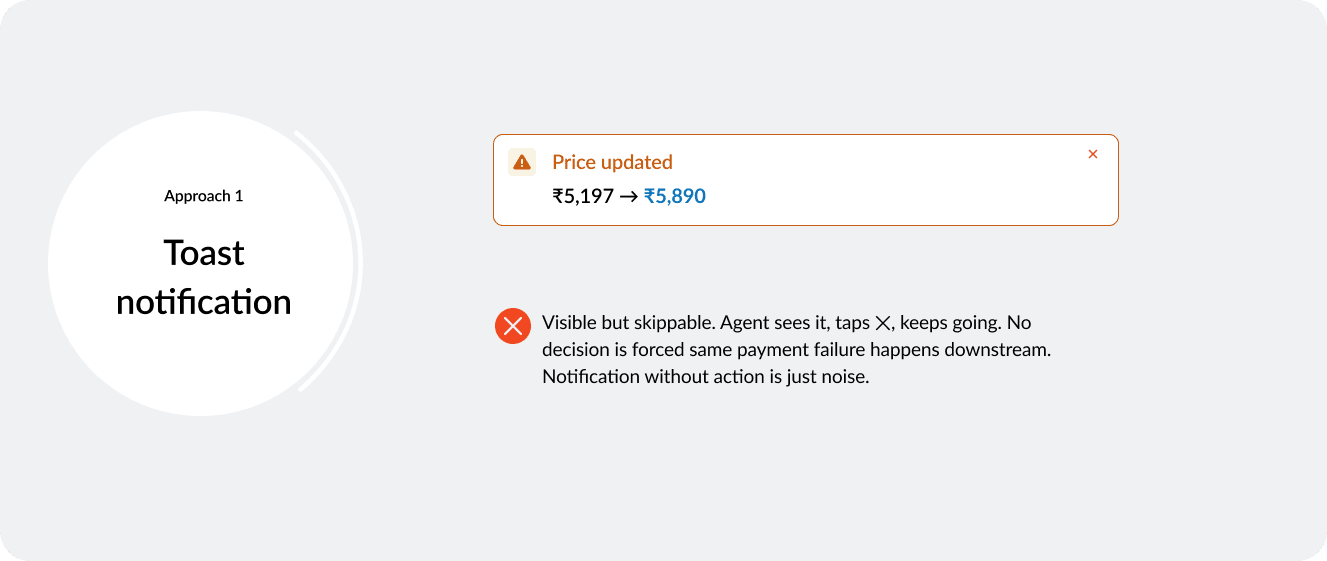
Update markup
Admin screen: agents set margin on base fares. B2B-exclusive feature
My initiative09 — Outcomes
What this delivered.
A live product. Real travel agents. Real numbers.
30–40%
Faster booking completion vs previous system
2×
Clearer data presentation on flight cards
25–35%
Fewer support tickets about UI confusion
01
B2B is not B2C with a logo — professionals tolerate complexity, but only organised complexity
02
The design system paid for itself — screens 10–20 were built 4× faster than screens 1–5
03
Working without a senior made every decision independently defensible — that muscle is permanent